
Every growing business hits the same wall. Customers ask the same questions about shipping, pricing, refunds and setup at all hours, your team answers them one by one, and the conversations that genuinely need a human get buried. Chatbase was built to break that pattern. It is a no-code platform where you train an AI agent on your own website, help center, documents and policies, then deploy it to your website, WhatsApp, Messenger, Instagram, Slack, email and even phone calls from one workspace. Founded in 2023 by solo founder Yasser Elsaid and grown without outside funding, Chatbase says it serves more than 10,000 businesses, holds a 4.8/5 rating on G2 from 46 reviews, and sells four self-serve plans from a free tier to $500 per month, plus custom Enterprise contracts.
For founders, e-commerce owners, SaaS support leads and agencies, the pitch is speed: a trained agent answering real customers without a developer in the loop. But an honest look reveals real trade-offs. Billing runs on message credits that drain faster on premium AI models, the Trustpilot record includes recurring billing and refund complaints that sit awkwardly beside glowing G2 scores, and several capabilities sit behind the $150 plan or paid add-ons. This 2026 review walks through what Chatbase does, how its current pricing works (verified in September 2026), how it compares with Intercom Fin, Botpress and Tidio, the genuine pros and cons, and exactly who should and should not buy in.
Chatbase Review 2026: The No-Code AI Agent Platform for Customer Support That Goes Live Fast but Bills by Credits
Overview and Background
Chatbase is an AI customer experience platform from Chatbase Inc. that lets businesses build, test, deploy and optimize AI agents trained on their own content. You connect data sources such as your website, help center, documents and PDFs, define the agent’s role and guardrails, choose an AI model, and publish. The agent answers from your material, can take actions such as looking up an order or capturing a lead, and can hand a conversation to a human when it should.
The company began in February 2023, when founder Yasser Elsaid, then finishing a computer science degree, released a tool for training a conversational AI on custom data and reportedly landed a paying customer within thirty minutes. Chatbase has stayed bootstrapped, and in a Stripe customer story it reports reaching $10 million in annual recurring revenue in March 2026, a self-reported figure. What is easier to verify is the product’s evolution: the original document chatbot now includes a helpdesk, voice and telephony, procedures, interactive widgets and an analytics assistant called Backstage.
Chatbase reports more than 10,000 businesses, with customer stories from Aplazo, Jumia and Opal. Independent signals are mixed in an instructive way: G2 shows 4.8 out of 5 across 46 reviews, Capterra 4.3 across 73, and Trustpilot 3.9 across 65, up from roughly 3.7 earlier this year. We dig into that gap in the Pros and Cons section, because it is one of the most important findings for any buyer.
Why Chatbase Stands Out in 2026
Setup that non-developers can finish: Chatbase says an agent can be live in minutes with no code, and independent evidence supports the direction of that claim. Ease of use is the most repeated theme in G2’s review summary, Chatbase shows G2’s Spring 2026 Easiest Setup badge, and Capterra reviewers rate ease of use 4.6 out of 5 according to independent roundups.
Train on the content you already have: You do not write question and answer pairs by hand. You connect your website, help center, documents and PDFs, and the agent answers from that material. G2 reviewers from universities and tutoring companies praise how easily they plugged in existing documentation, and Standard and Pro plans add auto-resync so agents refresh from their sources.
Procedures keep the agent on script: Procedures are step by step instructions written in plain language, with actions built in, for tasks like checking a return window or qualifying a lead. Reviewers in government, hospitality and e-commerce say procedures are why the agent stays on script instead of improvising, which matters when a wrong answer has real consequences.
Widgets instead of walls of text: Widgets let the agent reply with interactive components such as an order tracking card or a side by side product comparison. One G2 reviewer from an apparel brand said the order status card made the agent feel useful rather than chatty, though a developer helped wire the first widget to their API.
One agent, many channels: A single trained agent can run on your website, a hosted help page, WhatsApp, Messenger, Instagram, Slack, email and voice without being rebuilt for each channel. G2 reviewers from a tourism board, a SaaS support team and a marketing agency all cite this as a real time saver.
Your choice of AI model: You choose the model behind each agent and can test options in a playground. Reviewers describe using a cheaper model for routine questions and a stronger one for technical queries to keep costs under control.
Humans and AI in the same conversation: The built-in Helpdesk puts AI and human agents in the same thread, so the customer does not repeat themselves after a handoff. Backstage lets you question your own agent about customer issues and trends. Reviewers in marketplaces, hospitality and consumer finance cite cleaner handoffs and better tickets as their main gain.
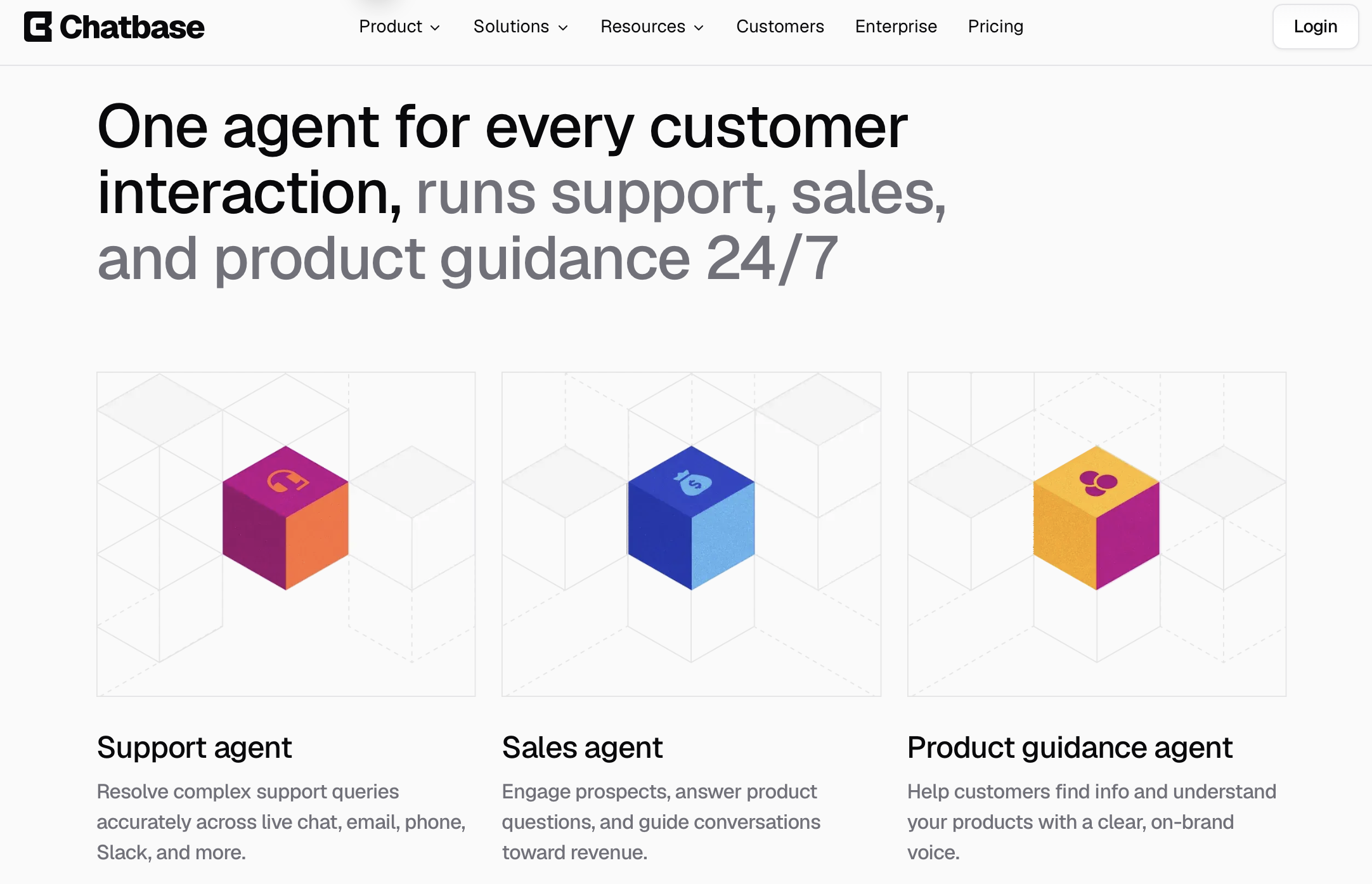
Chatbase lets you train an AI agent on your own website, help center and documents, then deploy it across chat, email, voice and messaging apps from one workspace.
Key Features and Technology
Chatbase’s platform is broad, but it organizes into a handful of pillars.
Training Your Agent on Your Own Content
Everything starts with sources: website URLs, help center articles, documents and PDFs. Training content is capped by plan at 1 MB on Free, 10 MB on Hobby, 20 MB on Standard and 40 MB on Pro. That suits most FAQ use cases, but a large library can hit the ceiling, and one Standard customer on Trustpilot calls the limit tight for a legal knowledge base. Standard adds auto-resync, and Pro adds sources suggestions and tickets as a source. End users can also upload attachments in chat, up to five files per message, and attachments consume extra credits.
Procedures, Actions and Widgets
Procedures give the agent a script. Actions let it do things such as retrieving invoices, checking time slots, looking up orders and capturing leads, and the pricing page lists integrations including Stripe, Zendesk, Salesforce, HubSpot, Shopify, Zapier and Calendly. AI actions per agent are capped: none on Free, 5 on Hobby, 8 on Standard and 12 on Pro. An action can trigger more than one model request per answer, and each request costs credits, so action-heavy agents burn allowance faster than plain question and answer bots.
Channels, Voice and Outbound
The same agent can run on your website, a Chatbase-hosted help page, WhatsApp, Messenger, Instagram, Slack and email. Voice, telephony and outbound campaigns arrive with Standard, with 10 concurrent calls on Standard and 20 on Pro. Voice is metered differently: Chatbase’s documentation says every session consumes 6 credits per minute plus credits for each AI response, so a ten minute call with fifteen AI requests on a one-credit model costs about 75 credits. Model that carefully before promising voice to customers.
Helpdesk, Backstage and Analytics
Helpdesk is included from Standard and brings tickets, statuses and assignments into the same place as AI conversations. Backstage is the conversational analytics layer: you ask your agent what customers struggle with, and it summarizes issues, topics and sentiment. Basic analytics come with Hobby and advanced analytics with Pro. Reviewers like the visibility, though some want deeper filtering and easier export.
AI Models, Security and Compliance
Free accounts get limited models, while paid plans unlock advanced models from several providers. On security, Chatbase lists GDPR compliance, a SOC 2 Type II audit and HIPAA readiness, says your data is not used to train models, and says data is encrypted at rest and in transit. Its pricing page marks HIPAA eligibility under Enterprise, so healthcare buyers should confirm scope with sales rather than assume every plan qualifies.
Pricing, Plans, and Package Structure
Chatbase uses subscription tiers with monthly message credits rather than per-seat or per-resolution pricing. The prices below are the standard monthly rates on Chatbase’s official pricing page in September 2026. The page advertises 20% off with yearly billing, roughly $32, $120 and $400 per month for Hobby, Standard and Pro (our calculation). Paid plans offer a 7-day trial. Each request to an AI model consumes credits according to the model you choose, and actions can trigger several requests per answer. Subscription credits renew monthly with no rollover, while auto-recharge credits do not expire. Older articles quote different allowances and add-on prices, so rely on the live page.
| Product | Price (USD) | What It Is | Best For |
|---|---|---|---|
| Free | $0/month | 50 message credits, limited models, 1 member, 1 MB training content. Agents deleted after 14 days of inactivity. | Testing the concept |
| Hobby | $40/month (about $32 billed yearly) | 700 credits, advanced models, 2 members, integrations, basic analytics, attachments, 5 AI actions | Solo founders and small websites |
| Standard (Popular) | $150/month (about $120 billed yearly) | 4,000 credits, 3 members, Helpdesk, voice, telephony, outbound campaigns, API access, auto-resync, 8 AI actions | Growing support teams and online stores |
| Pro | $500/month (about $400 billed yearly) | 15,000 credits, 5 members, advanced analytics, sources suggestions, tickets as a source, 12 AI actions | Higher-volume support operations |
| Enterprise | Custom quote | Higher limits, SSO, custom roles, white-labeling, audit logs, SLAs, success manager, HIPAA-eligible | Large or regulated organizations |
| Extra message credits (auto-recharge) | $40 per 1,000 credits | Non-expiring credits added when your balance falls below a threshold you set | Absorbing traffic spikes |
| Extra AI agents | $25 per agent/month | Every plan includes one agent | Multiple brands or client projects |
| Remove “Powered By Chatbase” | $99/month | Removes Chatbase branding from deployed agents | Brands that want a clean white-label look |
How Chatbase Compares to Alternatives
| Factor | Chatbase | Intercom Fin | Botpress |
|---|---|---|---|
| Pricing model | Tiered subscription with monthly message credits | Per resolution, about $0.99, plus seat or base fees in some setups | Free tier plus paid plans with AI usage billing |
| Entry price | Free, then $40/month | About $0.99 per resolution | Free; paid roughly $89 to $150/month |
| Setup style | No-code, plain-language procedures | Best inside Intercom | Visual builder, more technical |
| Built-in helpdesk | Yes, from $150 Standard | Yes, via Intercom inbox | Handoff on paid plans only |
| G2 rating | 4.8/5 (46 reviews) | 4.5/5 (about 3,750 reviews) | 4.5/5 (about 420 reviews) |
| Cost predictability | Varies with model and actions | Scales with resolutions | Varies by plan and AI spend |
| Best for | Fast no-code launch for small and mid-sized teams | Intercom users, outcome-based pricing | Custom flows and control |
vs. Intercom Fin: Fin is the best-known AI support agent, listed by Intercom at about $0.99 per resolution (approximate; some setups add a small monthly minimum or seat fees). It suits teams already in Intercom, and you pay for results. The catch is that the bill scales with success: roughly 1,000 resolutions a month means about $990 for the AI alone. Chatbase’s flat tiers are usually cheaper at modest volume, but credits are not resolutions, so model your own traffic. Fin’s 4.5 on G2 comes from thousands of reviews against Chatbase’s 4.8 from a much smaller base, a gap that reflects review volume as much as quality.
vs. Botpress: Botpress is the more flexible builder, with a visual studio and finer control over logic, but a steeper learning curve. Its pricing changed for new workspaces in May 2026, and older articles still quote $89 and $495 plans that newer workspaces may not see. If your team wants custom flows and can invest the time, choose Botpress. If you want an agent answering customers this week, Chatbase launches faster.
vs. Tidio and other small-business chat tools: Tidio is live-chat-first and popular with online stores, with plans from around $29 per month and its Lyro AI agent sold as an add-on from about $39 per month for 50 conversations (approximate), so costs can stack across meters. Chatbase is AI-first, with deeper procedures and channel coverage, while Tidio may feel simpler for human live chat with light automation.
Pros and Cons
What Users Love
Fast, intuitive setup: The most consistent praise across G2, Capterra and Trustpilot is how quickly non-technical teams get a working agent live. Trustpilot’s review summary calls the platform powerful and very easy to use, and G2’s top like-theme is simply ease of use.
Human support that reviewers call outstanding: Despite the criticism below, many Trustpilot and G2 reviewers single out the support team as fast, kind and willing to find custom solutions. Chatbase replies to a majority of its negative Trustpilot reviews, a healthier sign than silence.
Routine questions handled, humans kept for the hard ones: Reviewers across education, hospitality, retail and government describe fewer repetitive emails and calls, cleaner tickets and after-hours coverage, with sensitive questions escalated to staff. That is exactly what the product is designed for.
Real flexibility across channels and use cases: The same agent can serve customers on the website and in WhatsApp or Slack, and several reviewers use it internally as a policy lookup for their own teams. One agency owner on G2 runs about a dozen client agents from one dashboard.
Model choice helps control cost: Running a budget model for simple FAQs and a stronger model for technical questions is repeatedly praised, and the playground makes it easy to test the difference first.
Insight into what customers actually ask: Conversation logs, analytics and suggestions show where your documentation falls short, and reviewers say this has improved their websites and help centers, not just their support queue.
Limitations Worth Knowing
Credit-based billing is hard to forecast: A message credit is not a message. Each model request costs credits according to the model, actions add requests, attachments and voice consume more, and subscription credits reset monthly. One G2 reviewer notes that the model-dependent burn rate makes monthly needs hard to estimate, and running out without auto-recharge risks an agent that stops answering.
Billing and refund complaints on Trustpilot: This is the most material trust-signal divergence we found. G2 sits at 4.8 and Capterra at 4.3, but Trustpilot is 3.9 with 29% of its 65 reviews at one star. Recent negative reviews describe charges continuing after a request to close an account, refused refunds, a Standard plan that felt unusable in testing, and an unexpectedly deleted agent. Some third-party roundups cite an even lower Trustpilot figure, but the live page showed 3.9 when this review was written. G2 also labels a number of its reviews as solicited with a small gift card, so treat its score as directional. Chatbase does reply to a majority of negative reviews and invites affected customers to contact support, yet the pattern is worth weighing against your own risk tolerance.
Support quality is inconsistent: Praise coexists with complaints. Capterra’s customer service sub-score is reported at 3.8 out of 5, its lowest category, Trustpilot’s summary notes some reviewers struggled to reach a human, and one recent reviewer describes roughly one response per day during a live issue.
Limits and add-ons raise the real price: Every plan includes a single agent, training content tops out at 40 MB even on Pro, AI actions are capped at 5, 8 or 12, and helpdesk, voice, telephony and API access all require the $150 Standard plan. Extra agents cost $25 each per month and removing the Chatbase badge costs $99. The jump from $40 to $150 is where many teams discover what they actually need.
Customization and reporting depth: G2 reviewers mention limited dashboard customization, thin analytics filters, and a wish for simulation tools and version control for time-sensitive content. Logic is built from plain-language procedures rather than a drag-and-drop canvas, so teams wanting a visual builder may prefer Botpress or Tidio.
It is still AI, and it still needs guardrails: Outdated content can surface as confident wrong answers, and reviewers report needing real effort on guardrails and escalation rules. One Trustpilot reviewer noted there are no child-specific guardrails yet, and regulated buyers should verify compliance scope directly rather than rely on badges.
Who Should Use Chatbase
Solo founders and small businesses: If pre-sales and FAQ questions eat your day, Hobby or Standard gives you a trained agent covering your website around the clock. Tutoring companies, tour operators and charities describe it as a way to punch above their staffing level.
Online stores and e-commerce teams: Order lookups, returns procedures and product comparison widgets map neatly onto shopper questions, and Shopify is on the integrations list. Budget for actions and credits, since order checks add model requests.
SaaS, education and community teams: Help centers, documentation and course materials are exactly what Chatbase handles well, and Slack deployment plus internal lookup extends its value beyond customers.
Agencies and consultants: Spinning up a separate trained agent per client is straightforward, and at $25 per extra agent the economics can work if you charge clients enough to cover model credits.
Mid-sized support teams that want AI and a helpdesk together: Standard bundles tickets, voice and integrations with the agent, which suits teams that want to automate without migrating an entire support stack.
Who should look elsewhere: Buyers who need rigidly predictable monthly costs, teams that want a visual flow builder, and organizations with heavy voice volume should compare alternatives carefully. Companies deep in Intercom may find Fin a smoother fit, enterprises needing deep workflow engines may outgrow Chatbase, and youth-facing or healthcare sites should verify guardrails and compliance scope before committing.
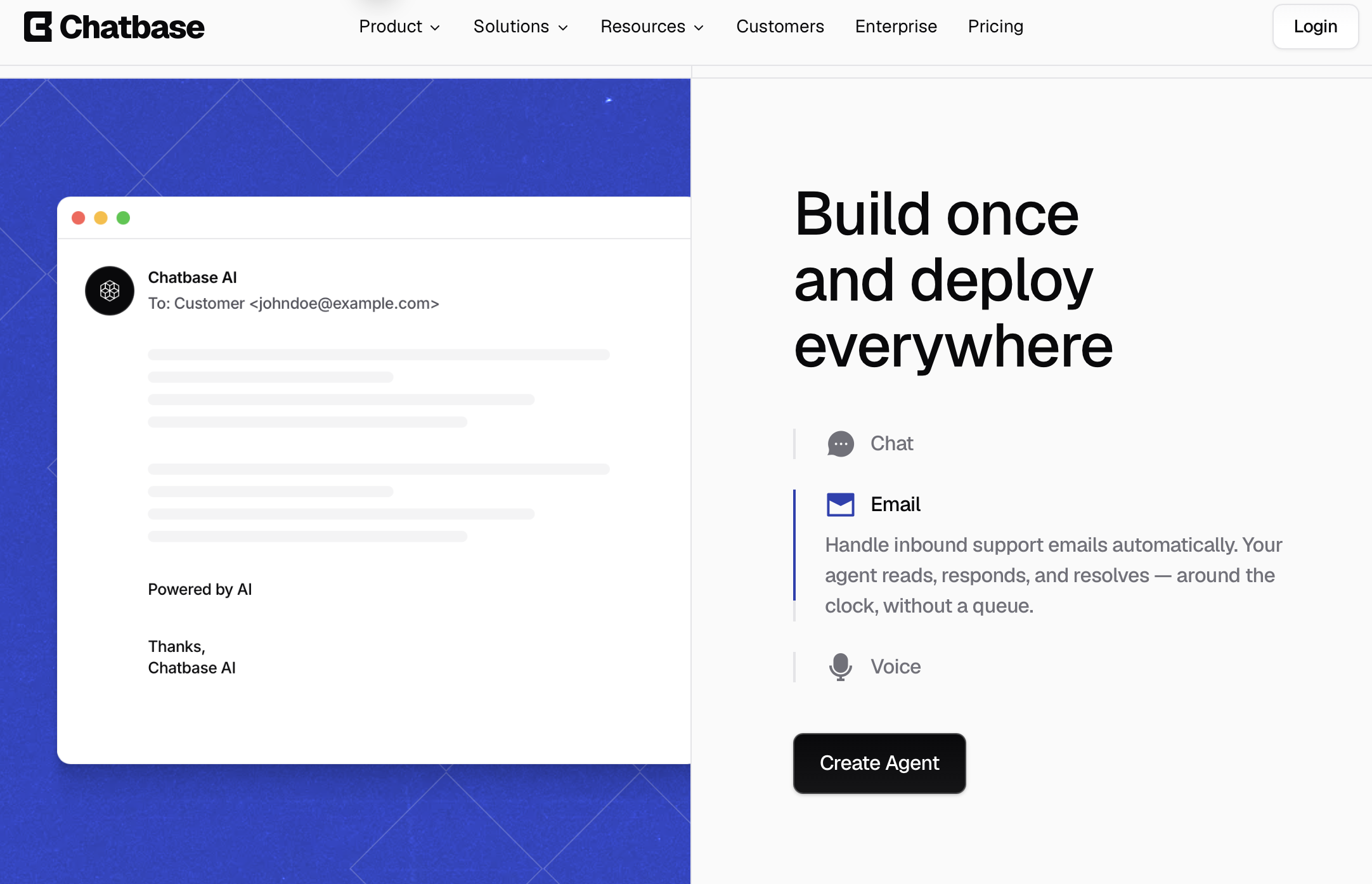
Chatbase agents handle routine questions across channels and hand complex conversations to your team in the same thread, with full context preserved.
Getting Started: Step by Step
- Sign up and pick your entry point. The Free plan gives you 50 message credits to experiment (unused agents are deleted after 14 days of inactivity), while Hobby, Standard and Pro all offer a 7-day trial. If you plan to launch for real, start a trial so you can test with the advanced models.
- Connect your content sources. Add your website URLs, help center articles, documents and PDFs. Clean up outdated pages first, and keep an eye on the training size cap for your plan.
- Define the role, instructions and guardrails. Describe what the agent is, how it should sound, and what it must never do, such as promising features or handling refunds. Begin with an economical model and upgrade only if quality demands it.
- Add procedures and actions. Write plain-language procedures for your highest-volume tasks, like order status, returns or lead capture, and connect the actions and integrations they need, staying within your plan’s action cap.
- Test in the playground. Run real customer questions, including awkward edge cases, compare models, and note how many credits a typical conversation consumes so you can forecast your monthly usage.
- Deploy, monitor and refine. Launch on your website first, then add WhatsApp, Slack, email or voice. Review conversation logs and suggestions every week, fill knowledge gaps, and tighten your handoff rules to the helpdesk.
Tips for Getting Maximum Value
Choose the cheapest model that answers your test questions well, since model choice is the biggest lever on credit burn. Keep procedures short and specific, and write clear escalation rules so the agent hands off early on refunds, complaints and account-specific issues. Assign someone to own your content, because stale prices and policies are the most common source of bad answers. Read your conversation logs weekly for the first two months, monitor credits against your allowance, set an auto-recharge threshold you can live with, and move to yearly billing only once usage is stable. Add the $99 branding removal only if a white-label look matters, and keep billing emails and cancellation confirmations in case you ever need to dispute a charge.
Future Outlook and Final Assessment
The AI support market in 2026 is moving from simple FAQ bots toward agents that follow procedures, take actions, speak on the phone and sit inside a helpdesk. Chatbase has moved quickly that way with voice, widgets, Backstage and a built-in helpdesk, and it is pushing upmarket with SOC 2 Type II, SSO and audit logs on Enterprise, a comparison page aimed at enterprise rival Decagon, and a Stripe story about capturing larger customers. Falling model costs should keep helping self-serve buyers, while Intercom, Zendesk, Botpress and Tidio keep pressure on price.
The honest caveats remain. Credit-based billing is hard to forecast, the Trustpilot record shows a pattern of billing and refund disputes buyers should take seriously, support quality varies, and several capabilities sit behind the $150 plan or paid add-ons. Chatbase will earn long-term trust by making credit usage more transparent and handling cancellations and refunds cleanly. Within those boundaries, it is one of the fastest, most approachable routes to a working AI support agent available today.
Conclusion
Chatbase is not trying to replace your support team. It is trying to absorb the repetitive questions that swamp it, and at that job it is genuinely effective: you train an agent on your own content, keep it on script with procedures, deploy it across channels and hand hard cases to people in the same conversation. It rewards teams that test credit usage, maintain their content and choose models thoughtfully, and it is a weaker fit for buyers who need fixed monthly costs or a flawless billing record. Weigh the strong G2 and Capterra feedback against the more critical Trustpilot reviews, confirm current pricing, use the trial to measure real usage, and Chatbase can turn a crowded inbox into a manageable queue.
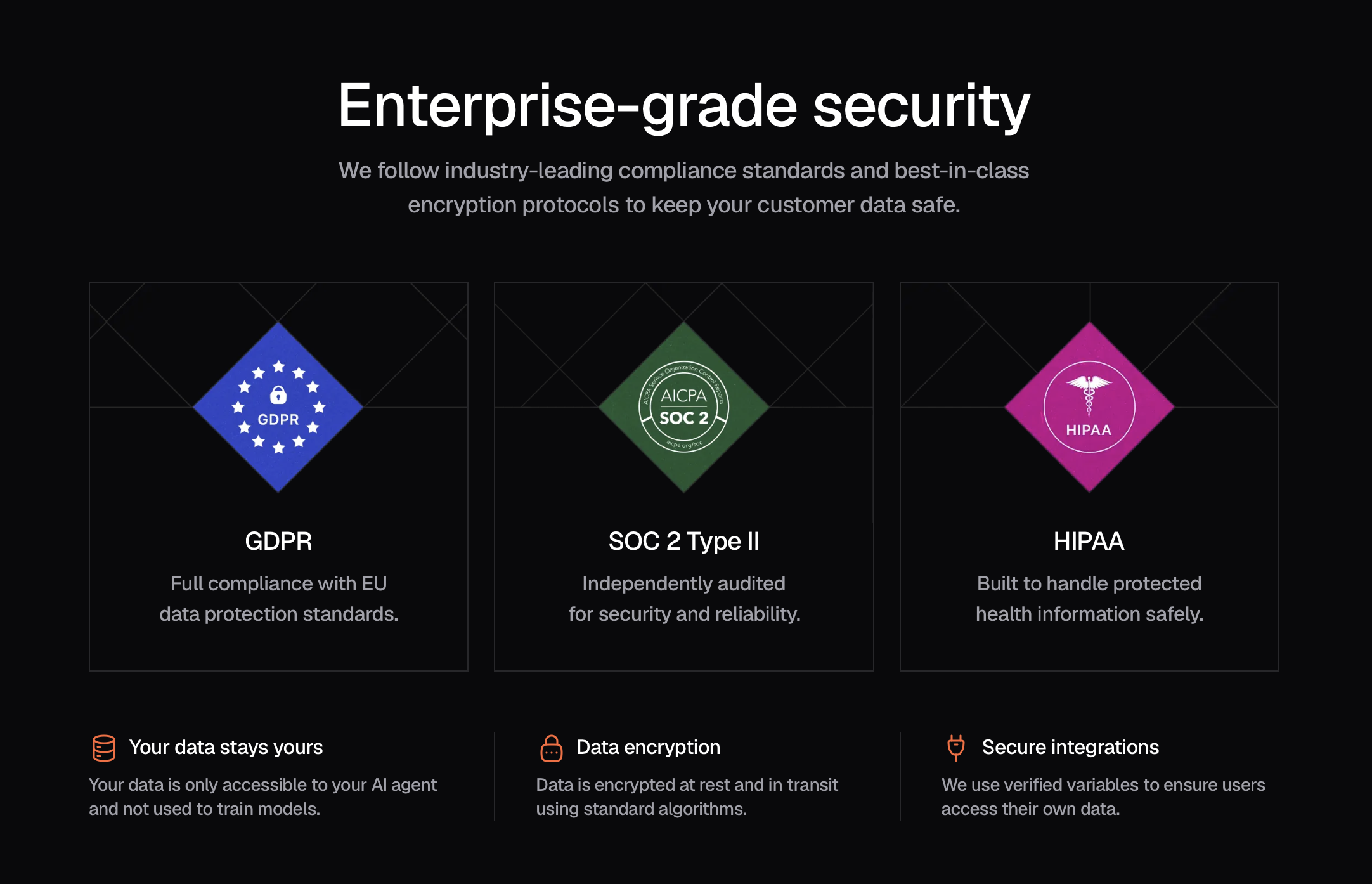
Chatbase pairs fast no-code setup with credit-based pricing, so testing real usage during the trial is the smartest first step.
Ready to put an AI agent on your customer support desk?
Explore more honest reviews, tutorials and tech comparisons to find the right gear for the way you work, travel and live, at World Of Tech, where we make everything easy.
👉 Try Chatbase: https://worldoftech.space/chatbase
👉 Our YouTube Channel: youtube.com/@world_tech79
👉 Our Facebook Fanpage: Facebook
👉 Our X (Twitter): @worldoftech79
Pricing, specifications and policy details in this review were verified against chatbase.co and independent review sources (including Trustpilot, G2 and Capterra) as of September 2026. AI customer support software pricing, credit allowances and features change frequently, so confirm current details on the official site before purchasing. Competitor prices are approximate and subject to change.





