
Before diving into the detailed workflow strategies and advanced tips for running a modern photo studio, let’s set the stage for what you’ll find in this guide. This article offers a comprehensive roadmap for photographers looking to grow from passionate creatives into successful studio owners by combining technical skills, smart software use, and sound business strategies. Each section builds on the last, ensuring you gain not only creative mastery but also operational confidence. From exposure basics to workflow automation and cost-saving tips, everything you need is right here—structured for real-world results in 2025’s competitive creative industry.
Ready to make 2025 your breakout year as a photography studio owner—or maybe just to take your creative freelance gig to the next level? Get comfy and grab your favorite drink, because we’re about to walk through everything you need to know for running a modern, thriving studio. Forget just snapping beautiful shots—studio success today is about perfecting your editing workflow, mastering the exposure triangle, picking the right management software, budgeting wisely, and scaling up with smart technology. Whether you’re just getting started or you’re itching to scale up, this guide is packed with practical steps, pro insights, and the kind of tips you’ll wish you knew sooner. Ready to roll?
Workflow Steps Expanding Photo Studio Business
Let’s kick things off by mapping out your journey—from hobbyist with a camera to professional studio owner with a bustling calendar. It’s tempting to think the secret sauce is just talent, but truthfully? Sustainable studio success blends creative skill, savvy business sense, and a rock-solid workflow that keeps you sane when bookings blow up.
Imagine you’re putting together a puzzle. Each step, from learning manual settings to launching a website, is its own piece—and they build on each other. Miss a piece, and all those gorgeous images might never get noticed.
So, how do you actually build that foundation? Let’s break it down, step by step…
Exposure Triangle Basics: The Foundation
Think of the exposure triangle—ISO, aperture, and shutter speed—as the three pillars holding up your photography craft. Ever been frustrated by a shot that looks blown out or way too dark? This triangle is why.
Here’s a quick cheat sheet:
- ISO: It’s like your camera’s sensitivity dial to light. Pump it up, and images brighten—but risk more grain.
- Aperture (f-stop): Controls the lens “eye”—wider means blurrier backgrounds and more light, smaller means sharper (but possibly darker) shots.
- Shutter Speed: Determines how long the sensor “sees” light. Think: slow shutter for dreamy motion blur, fast for crisp action.
“Mastering the exposure triangle is the difference between ###s and professionals—it gives you the confidence to tackle any lighting scenario in studio or field,” says Sarah Nguyen, pro photographer and educator.
Want to build muscle memory? Start shooting in manual mode. Seriously, even if you mess up a few shots, you’ll learn fast. Test each component in different lighting—sunny, studio, indoor, golden hour. Soon, adjusting settings becomes second nature, crucial when you’re under studio pressure and clients are watching.
Here’s a real-world scenario: imagine you’re shooting a model with strong backlighting by the window. With a quick tweak of ISO and shutter speed, you save the shot from being too shadowy or harsh. That’s pro-level confidence, right there.
Skill Acquisition Workflow: Building Technical and Creative Confidence
Real talk: studios today aren’t just about technical wizardry. They demand constant learning, a willingness to try new things, and a growth-oriented mindset that keeps you sharp.
Here’s a roadmap for mastering your craft:
- Daily Practice: Schedule real time for technique drills—try new lighting setups, play with lens types, tackle creative self-assignments. That daily grind? It pays off.
- Portfolio Development: Keep curating and updating your portfolio. Don’t just show what’s popular—include work that shows versatility: portraits, products, events. Prospective clients and agencies love seeing range.
- Feedback Loops: Join online photography groups, forums, or local meetups. Peer critiques help you spot weaknesses and grow, fast.
- Specializations: Experiment—maybe food, fashion, or real estate photography calls your name. Specializing can mean bigger bucks and stronger brand.
- Certification and Workshops: Dive into industry-backed courses or online platforms like CreativeLive. Official badges = trust = more bookings.
Structured learning isn’t just for newbies. Even top pros block time for fresh inspiration and education. So, whether you’re hunting for your style or leveling up—don’t ignore skill-building routines!
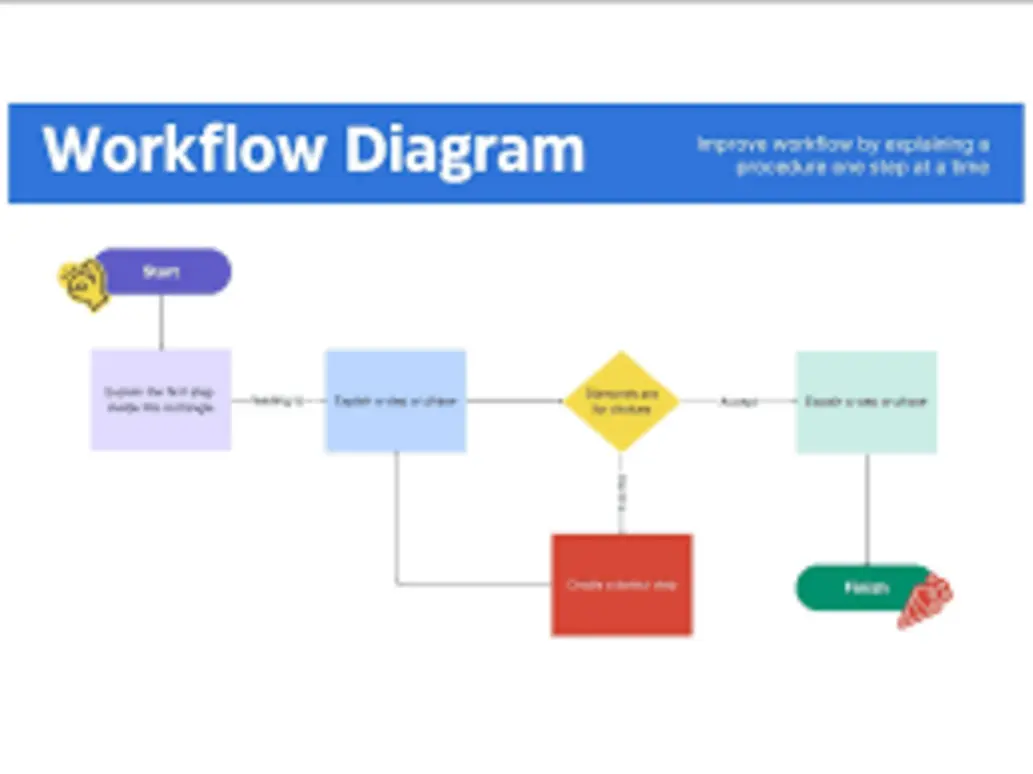
Let’s take Joe’s story—a young food photographer who started with smartphone snaps. After a year of deliberate daily practice and workshops, he gained confidence to pitch restaurants and landed his first paid gig. Momentum matters: routines create results.
Business Scaling Steps: Transitioning from Passion to Profit
Turning passion into a paying business? That’s where a studio owner’s real work begins. Let’s look at how to scale up intelligently:
- Business Plan Development: Don’t skip this. Define your target clientele: families, products, commercial clients? Lay out growth targets and clear missions.
- Legal Structure: Register as an LLC or sole proprietorship, grab insurance, and don’t forget taxes. The “business side” protects your hard work and income.
- Brand Building: Invest in a professional logo, slick website (with online booking!), and social media strategy. In 2025, online presence is non-negotiable.
- Service Packages: Clients love options. Design tiered packages: basic sessions, premium print bundles, digital image delivery. Clarity sells.
- Studio Setup: Find the right location (home studio, rental space, or full commercial lease). Invest in versatile lighting, creative backdrops, and props—they expand what you can offer.
Without a streamlined workflow, client communications and project tracking get messy fast. Smart studio owners build systems for managing bookings, confirmations, image delivery, and follow-up—often with a little help from cutting-edge software.
Let’s look deeper at those tech solutions…
Best Photo Studio Management Software 2025 Overview
Say goodbye to stacks of paper and endless spreadsheets. In 2025, top studios run smooth thanks to all-in-one management platforms—think super dashboards for everything from image editing to client emails. Busy? These tools save serious time and keep operations tight.
Lightroom Editing Workflow: Efficiency at Your Fingertips
If you’ve ever asked photographers “What editing tool can’t you live without?” the overwhelming answer is Adobe Lightroom. Why? It’s the perfect marriage of pro-level power and user-friendly features.
Here’s why the Lightroom workflow rocks:
- Batch Editing: Quickly apply color, exposure, and style changes to hundreds (yes, hundreds) of photos at once. No more one-by-one tedium.
- Non-Destructive Editing: All tweaks are reversible. No “oops, I ruined the original!”
- Presets and Profiles: Jumpstart creativity with pre-made or custom filters. Perfect for building your unique style or meeting client preferences fast.
- Cloud Sync: Edit on your desktop during the day, tweak on your tablet at night, review on mobile between meetings. Lightroom keeps it all tied together.
Pro tip: Set up a clear folder and file naming system. Use color labels and keywords religiously. And—this is big—automate backups to avoid losing irreplaceable work. Studio pros will tell you: lost images = lost revenue.

How about a little tech “before and after”? Before Lightroom, photogs could spend hours batch editing in Photoshop. Now, those same edits take minutes. Time is money, folks.
Software Feature Comparison: Finding the Perfect Fit
Editing is just one piece. Real studio command centers do more—client management, scheduling, invoicing. With so many platforms, which is right for you?
Here are 2025’s studio favorites:
- Capture One: Legendary for color accuracy, particularly fashion and product studios. Tethering support lets you shoot directly into a laptop for instant preview.
- Studio Ninja: The CRM king—automates workflows, invoices, and client communication. If juggling bookings makes your head spin, Ninja is your pal.
- HoneyBook: Simplifies client contact, contracts, and payments. The interface is clean—great for teams or solopreneurs.
- Sprout Studio: A photographer’s full business dashboard: marketing tools, booking, emailing, and even sales tracking.
“Centralized tools are a studio’s nerve center—they unlock productivity, creative consistency, and scalability,” notes Alex Pham, tech consultant and experienced photographer.
Here’s a day-in-the-life: Emma, a wedding photographer, switched to Studio Ninja. Suddenly, invoicing and contracts got automated, freeing her to focus on—guess what?—shooting. She reported booking 30% more clients with less stress.
Organizational Best Practices: Staying On Top
Studio chaos happens when you’re buried in emails, paperwork, and late-night last-minute changes. Here’s how top studios stay organized:
- Automate Where Possible: Set triggers for appointment reminders, invoice requests, or session confirmations—let software handle the follow-ups.
- Data Security: Back up daily, use two-factor authentication, and restrict dashboard access. Remember, your images and client data are valuable (and legally protected).
- Templates and Presets: Build reusable documents—contracts, model releases, marketing emails—to slash admin time.
Watchmore: Lensrentals BorrowLenses Merger 2025 Camera Gear Rentals
Need gear but hate big upfront costs? Try Lensrentals and BorrowLenses—now even more streamlined after their recent merger. Gear up for that special shoot, test before you buy, or level up without emptying your wallet. Dive in deeper here: Watch more.
Want more hardcore data? Let’s do a comparison…
Infographic Comparing Top Photography Platforms
At a glance, here’s how the top platforms stack up. This chart helps you visualize your options and figure out what matches your studio needs:
| Platform | Editing Power | Scheduling | CRM Tools | Beginner-Friendly | Cost |
|---|---|---|---|---|---|
| Lightroom | Excellent | Limited | None | High | $$ |
| Capture One | Exceptional | None | None | Medium | $$$ |
| Studio Ninja | None | Robust | Strong | High | $$ |
| Sprout Studio | Good | Excellent | Strong | Medium | $$$ |
| HoneyBook | None | Good | Excellent | High | $$ |
Editing Software Comparison Workflow Optimization
- Lightroom delivers the best balance for beginners and pros, with seamless integration and batch processing.
- Capture One is favored by studio specialists focusing on color-critical work.
- Studio Ninja and Sprout Studio offer comprehensive organizational features for business-focused photogs.
So—are you a portrait powerhouse needing client management, or a color geek needing pro-level editing? Infographics simplify the big decision.
Let’s make it real. Michael, a fashion studio owner, chose Capture One for its unbeatable color. His results led to landing contracts with top clothing brands.
Tips to Save on Studio Operation Costs
Every studio, big or small, loves saving a buck (or a thousand). Budgeting well isn’t optional—and in a competitive industry, stretching your dollars lets you reinvest in growth and creative experimentation.
Budgeting Tips: Making Every Dollar Count
Here’s how smart studios keep budgets lean:
- Plan Recurring Costs: Write down every monthly expense: rent, utilities, insurance, subscriptions—even coffee for clients.
- Track ROI on Gear: Don’t buy the fanciest lens just for bragging rights. Assess each purchase: will it bring in more business, or could you rent instead?
- Outsource Wisely: Admin, retouching, marketing—freelancers or virtual assistants are often cheaper (and more efficient) than doing everything yourself.
- Bulk Purchases: Prints, frames, props—buy in packs for discounts. Suppliers often negotiate for loyal customers.
Want proof? Laura’s portrait studio cut yearly costs by 15% just by switching to bulk print deals and outsourcing editing to a freelancer in the off-season.
Cost-Saving Strategies: Streamlining the Tech Stack
Tech expenses can balloon—unless you’re smart.
- Subscription Bundles: Adobe, Capture One and most CRM providers offer bundles—editing, management, scheduling, all-in-one for less.
- Cloud Storage Solutions: Don’t keep gigabytes of files on a local hard drive. Cloud plans scale as you grow and usually cost less per image.
- Second-Hand or Rental Equipment: The used gear market is thriving, and rentals can fill gaps for specialty projects. Try before you buy, or just avoid buying outright.

Sofia’s product studio embraced cloud storage and swapped Photoshop for Lightroom bundled with CRM. Lower costs, higher efficiency.
Studio Resources Guide: Essential Investments
Want to wow clients? Don’t skimp on the experience. Invest in sharp signage, cozy client areas, wall sample galleries, and glossy portfolios. These touches make your studio shop memorable.
Marketing doesn’t have to be expensive. Social media platforms like Instagram and TikTok are free—and hungry for behind-the-scenes content. SEO blogging gets you Google traffic; paid ads can amplify your reach once you’re ready.
For even more budget-friendly hacks and pro gear deals, browse Watch more.
Multi Platform App Support for Studios
Want a studio that hums along smoothly—online, offline, anywhere you work? Multi-platform app support is your ticket to flexibility. Whether you’re a digital native or just learning to juggle devices, this matters.
Cross-Platform App Selection: Flexibility for Modern Creatives
Here are top apps every studio should consider, for creative pros in 2025:
- Lightroom Mobile/Desktop: Seamlessly sync edits, ratings, and metadata on every device. Edit at your desk or while traveling.
- Google Workspace: Schedule shoots, sign contracts, manage invoices—all in the cloud.
- Trello/Asana: Organize shoot logistics, editing pipelines, collaborative milestones. Custom lists = fewer mistakes.
- WeTransfer/Dropbox: Share massive photo sets, securely. No more juggling thumb drives or slow email attachments.
Picture this: Jamie, a wedding photographer, finishes an edit partly on her desktop, checks the final crop on her iPad while commuting, and shares proofs with the client via Dropbox—all in a single day. That’s real multi-device power.
Workflow Efficiency: Streamlining Everyday Operations
Centralize all messaging with Slack or Microsoft Teams. No more scattered texts and missed emails.
Instant booking and invoicing apps mean clients book sessions while you sleep, and payment reminders go out automatically.
Project management software lets your team track every step, hit deadlines, and deliver consistent quality. It’s how small studios punch above their weight.
Maximizing Your Studio’s Success in 2025
So, what separates hobbyists from studio legends? It’s not just creativity, but confidence in both camera and business chops. Know your exposure triangle and editing workflow cold. Build crisp organizational habits. Budget with intent. Experiment with smart tech stacks. Scale up using multi-platform apps for maximum coverage.
Studios who thrive in 2025 view software and workflow as partners, not just tools. They create memorable client journeys and adapt fast when tech or market trends shift. Remember, you don’t have to go it alone—a community of ingenious photographers, tech whizzes, and creative entrepreneurs are sharing secrets daily.
Curious about the next wave of automation, SEO, and AI for photographers? Deepen your knowledge with our next expert guide Watch more.
Expand Your Studio Toolkit, Stay Ahead in 2025
Whether you’re opening your first studio or upgrading a modest operation into a brand that’s city-famous, your toolkit goes way beyond the camera. Integrate these workflows, tools, and cost-saving strategies, and watch your studio become a force in the local creative scene.
Don’t forget—staying ahead means getting plugged into industry news, tips, and real user reviews. Swing by our online hubs and join the conversation:
👉 Our Website
👉 Our YouTube Channel
👉 Our Facebook Fanpage
👉 Our X (Twitter)
Already imagining your dream studio in 2025? What’s the one step you’ll take this month—refining your workflow, outsourcing retouching, or finally building that killer website? Drop your ideas and experiences, and let’s keep growing together!





