
Picture jumping into a Discord call, a Roblox lobby or a live stream and sounding like a completely different person, with no PC, no mixing software and no tangle of cables. That is the promise of Dubbing AI, a voice changing company founded in 2023 and based in Singapore that has moved from software into hardware. Its shop sells two products: the Dubbing Earbuds, wired USB-C earbuds with real-time AI voice changing built in, at $54, and the Dubbing Box, a pocket-sized adapter for consoles and phones, at $129. Both lean on a library of 500+ AI voices, advertise roughly 300 ms of latency, ship free to supported countries, and come with a one-year hardware warranty and a 30-day return window.
For mobile streamers, gamers, short-video creators and anyone who enjoys playful voice trolling, the idea is easy to love: plug in, open the app, pick a voice. But an honest look shows real trade-offs. Independent trust signals are mixed, with a 2.5 out of 5 Trustpilot score driven by billing and support complaints, latency claims that range from under 20 ms to 300 ms depending on which page you read, and a subscription model that holds the best voices behind a paywall. This 2026 review walks through what Dubbing AI actually sells, the latest prices, how it compares with Voicemod and Roland, the genuine pros and cons, and who should (and should not) buy.
Dubbing AI Review 2026: Real-Time AI Voice Changing Earbuds and Box for Phones, Consoles and Streaming
Overview and Background
Dubbing AI is a real-time AI voice changer platform. Its core product is an app, available as a free desktop program for Windows and macOS and as a mobile app, that transforms your microphone input into one of hundreds of character, celebrity-style and stylized voices while you speak. The official site describes the company as founded in 2023 and based in Singapore, and the iOS app is published by Halo Interactive Pte. Ltd. The shop at shop.dubbingai.io is the hardware arm: it sells devices designed to bring that same voice changing to places where a desktop app cannot go, namely phones, handheld consoles, home consoles and VR headsets.
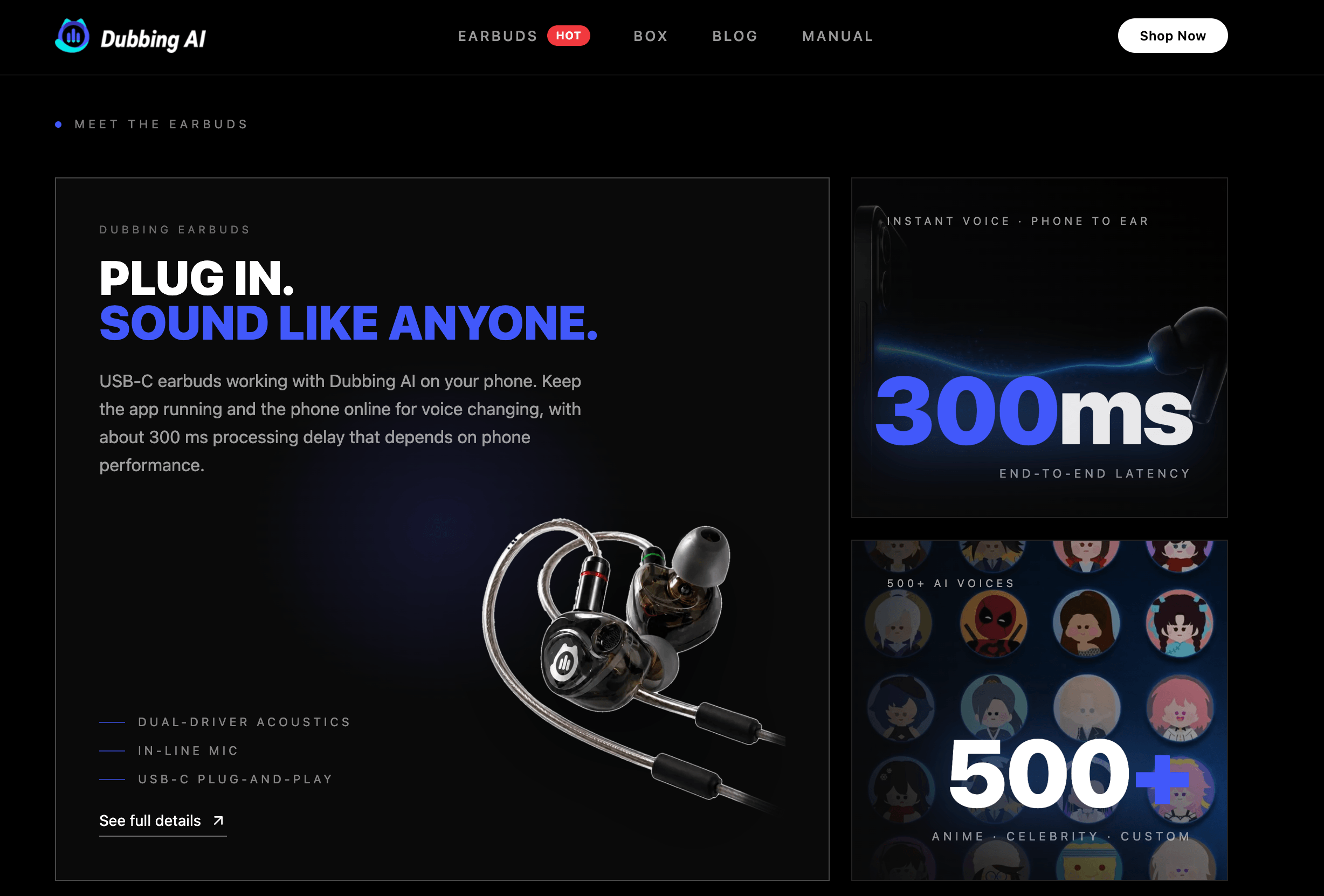
Two products anchor the shop. The Dubbing Earbuds are wired USB-C earbuds with an in-line microphone and dual-driver acoustics. They have no battery and no pairing, because they plug into a USB-C audio port and let the app process your voice. The Dubbing Box is a small battery-powered adapter, about the size of a car key fob, that sits between your phone or console and your own Bluetooth headset, so you keep the headphones you already own and still get voice changing.
The brand is young and still building its independent reputation. Its shop shows no star ratings of its own, and the creator endorsements on the homepage (accounts ranging from roughly 89K to 796K subscribers) are promotional rather than reviews. The best outside evidence comes from Trustpilot, the App Store, Product Hunt and a handful of hands-on write-ups, and those sources disagree with each other in ways worth understanding before you spend money.
Why Dubbing AI Stands Out in 2026
Voice changing in your earbuds, no PC required: Most real-time voice changers live on a Windows or macOS computer. Dubbing AI puts the capability into a pair of earbuds that plug straight into an Android phone, an iPhone or iPad with USB-C, or a handheld console. For mobile gamers and creators who never touch a desktop, that is a genuine gap in the market.
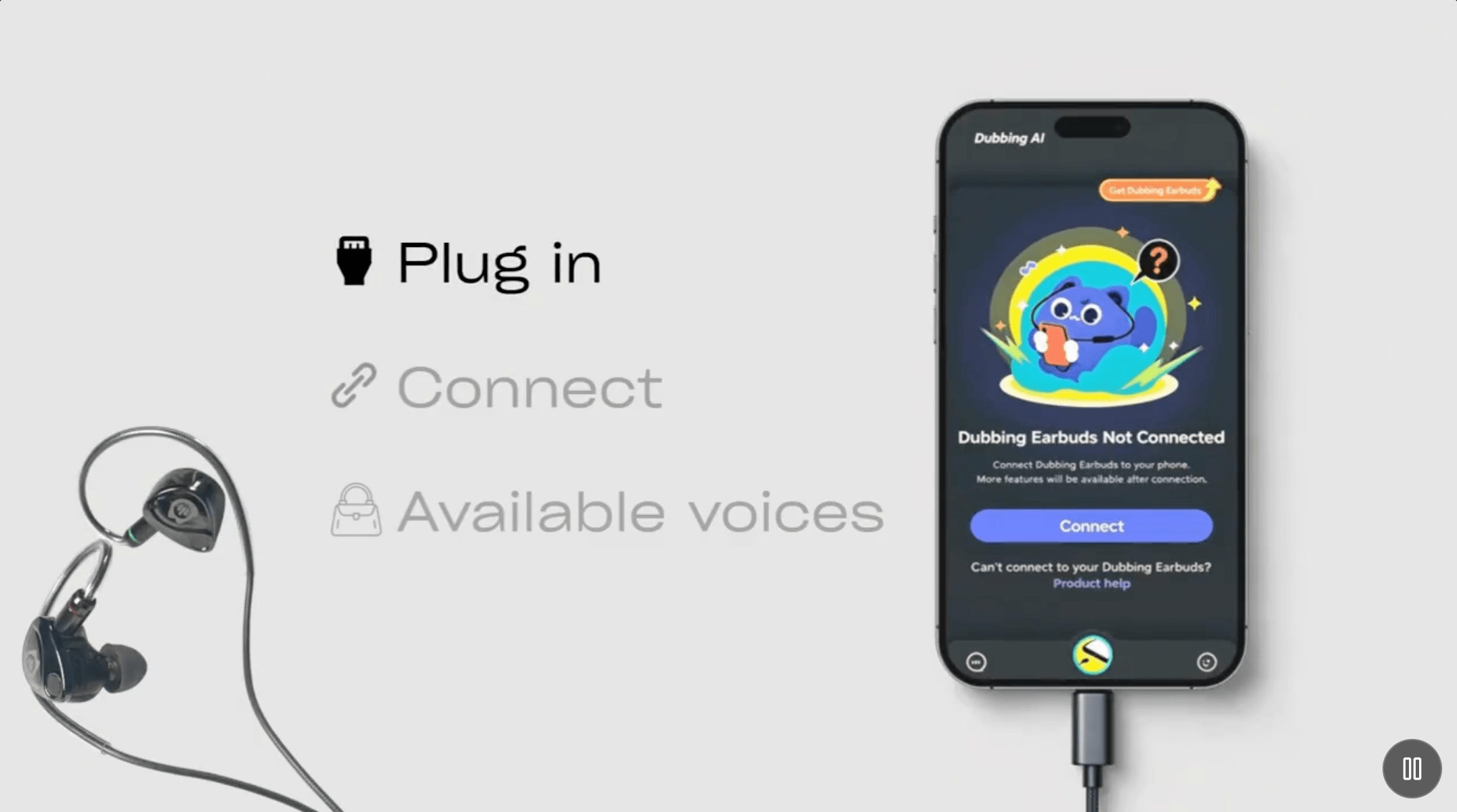
Plug and play with no battery or pairing: The Earbuds draw power from the device, so there is nothing to charge and no Bluetooth to troubleshoot. Plug in, open the app, confirm the pairing prompt and pick a voice. The official setup guide describes it in a few steps.
A path for consoles and VR: The Box is built for people who already own a headset. It connects to a console through a USB-C port (with an included USB-A adapter for Xbox) or to an Android phone, then pairs with your Bluetooth headphones. The shop lists Nintendo Switch, PlayStation 5 and Xbox Series X|S support, and the earbuds add a Console and VR mode.
A large and growing voice library: The shop advertises 500+ AI voices, and one hands-on review of the Premium tier counted 545 along with weekly voice updates. Whatever the exact number, the catalog is broad, covering realistic and character-style voices plus soundboard support.
Works with any app that uses the system microphone: Because the processing happens at the audio input level, voice changing works in Discord, Zoom, OBS, WhatsApp, Roblox and PUBG Mobile without per-app setup. Switch characters mid-game without restarting anything.
A free tier and a trial before you commit: The app includes 8 built-in voices on its free tier and a free desktop version, so you can judge voice quality before buying hardware. The shop also advertises a 7-day free trial and 20% off Premium for earbud buyers.
Clear hardware warranty and return terms: Both devices carry a 1-year hardware warranty, and the refund policy allows a return request within 30 days of receipt with no reason required. That is more generous than many small hardware brands offer.
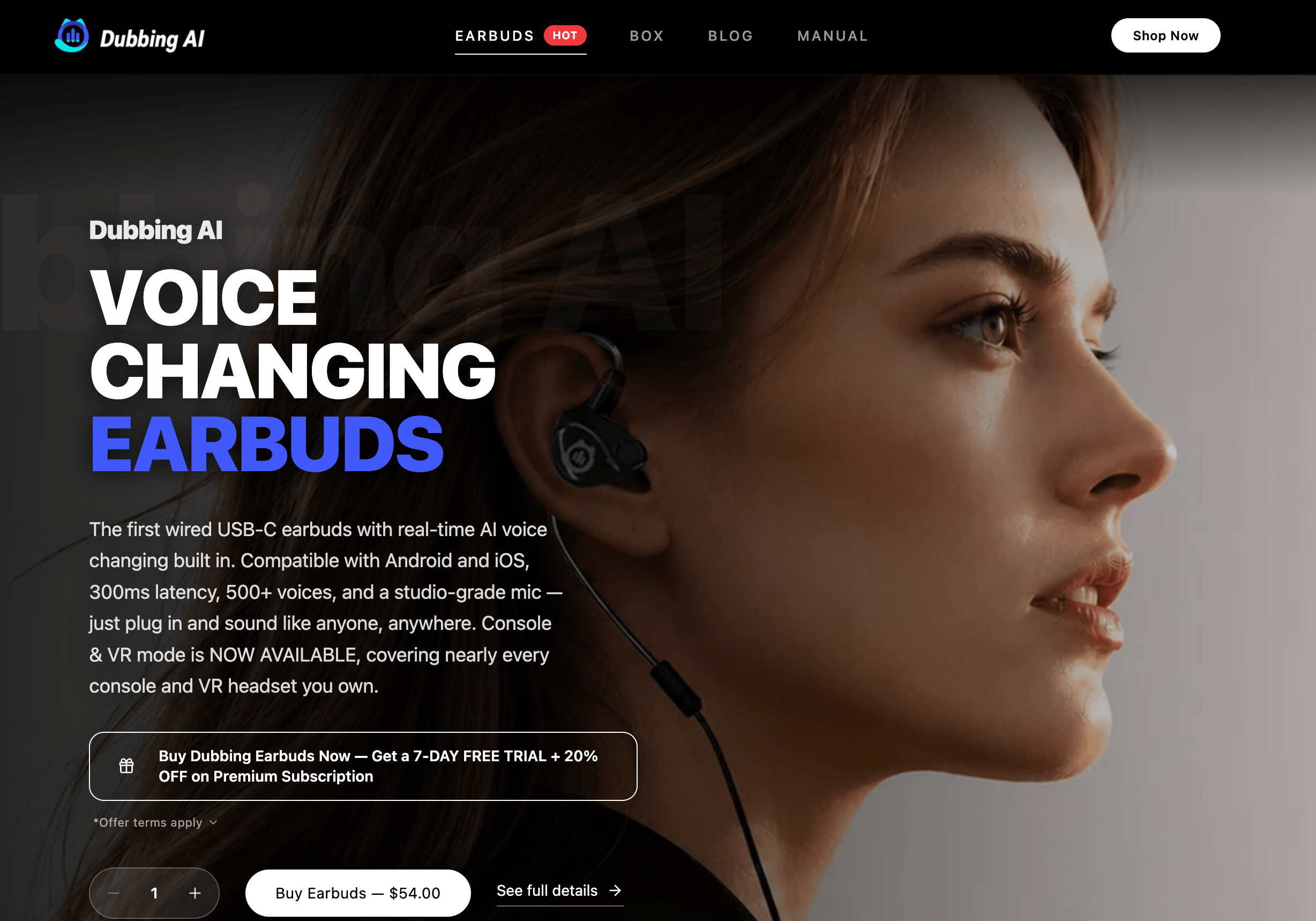
Dubbing AI puts real-time voice changing into wired USB-C earbuds, so a phone becomes a voice changer for Discord, streaming and games with no PC involved.
Key Features and Technology
Dubbing AI organizes into three pillars: the earbuds, the Box and the app that powers both. Here is how each one actually works.
Dubbing Earbuds: Dual-Driver Wired Voice Changing
The earbuds use a dual-driver design that pairs a dynamic driver with a balanced armature driver, with an in-line microphone that includes a monitor toggle so you can hear yourself. The cable is detachable and color-coded, the set includes three ear tip sizes (S, M and L), and the in-line controls handle volume, play and pause, and calls. The product page lists a weight of about 24 g and a one-year limited warranty covering defects in materials and workmanship, with drops, water ingress and unauthorized modification excluded. In the box you get the earbuds, a protective pouch, three pairs of replacement tips and a manual.
Dubbing Box: Voice Changing for Your Existing Headset
The Box is a pocket adapter of roughly 50 to 57 g (the spec sheet and the manual give slightly different figures) with a 1,000 mAh battery, Bluetooth 5.0 and a USB Type-C connection. You plug it into an Android 9.0 or later phone, or into a supported console, hold the power button for two seconds, and pair your Bluetooth headphones through the app. You can load up to three voices at once and switch between them with the device buttons, and an optional Pro Mode calibrates the effect with a 10-second recording. Note the requirements: wired headphones are not supported, and iOS support is not available yet, with a waitlist open.
The App, Voice Library and Subscription Tiers
The app is where the product lives. The free tier offers 8 built-in voices, and the paid subscription unlocks the full 500+ voice library and advanced effects, plus soundboard and custom features. On the iOS listing, the in-app purchases show a Standard tier at $8 per month or $48 per year and a Premium tier at $14 per month or $84 per year. A third-party review also reports a Permanent Premium option at $98. The shop itself does not publish subscription prices, so the app store listing is the most reliable public reference.
Latency: What the Numbers Really Say
Latency is the number that matters most for live conversation, and Dubbing AI is not consistent about it. The shop lists about 300 ms on both devices, noting that it varies by phone. The company information page claims under 300 ms. A hands-on review of the Premium tier cites a 100 ms delay in its plan table. Meanwhile, some of the company’s own marketing articles and the Box page for Switch and PS5 use a sub-20 ms figure. These numbers cannot all describe the same measurement. Treat 300 ms as the conservative planning figure, which is noticeable in fast back-and-forth chat but fine for streaming, roleplay and gaming banter.
Privacy and Data Handling
Dubbing AI states that voice recordings are not used to train its AI and are not sold or shared with third parties, that calls and streams are not stored, that account data is encrypted in transit and at rest, and that you can delete your account and data. These are the company’s own statements and we could not independently verify them. Because the earbuds need the app running and the phone online, read the privacy policy before using voice changing on sensitive calls.
Pricing, Plans, and Package Structure
Dubbing AI uses a hybrid model: you pay once for hardware, then optionally pay for the app subscription that unlocks the full voice library. The prices below were checked against shop.dubbingai.io in November 2026. The shop runs promotions and shows different figures on different pages, so confirm the live price at checkout. App subscription prices come from the iOS App Store listing and a third-party review, since the shop does not list them, and may differ on other platforms.
| Product | Price (USD) | What It Is | Best For |
|---|---|---|---|
| Dubbing Earbuds | $54.00 (reduced from $59.00) | Wired USB-C earbuds with real-time AI voice changing, 500+ voices, about 300 ms latency, 1-year warranty | Mobile creators, streamers and gamers |
| Dubbing Box | $129.00 (listed at $179.00 on the product page) | Pocket adapter with 1,000 mAh battery and Bluetooth 5.0 that connects a console or Android phone to your own headset | Console and mobile players who already own a Bluetooth headset |
| Dubbing AI App (Free) | $0 | 8 built-in voices on mobile, plus a free desktop app for Windows and macOS | Testing voice quality before buying anything |
| Dubbing Standard | $8 per month or $48 per year | Entry subscription tier on the iOS listing, voice access varies by tier | Casual users who want more than the free voices |
| Dubbing Premium | $14 per month or $84 per year | Full 500+ voice library and pro features per the shop and iOS listing | Regular streamers and gamers |
| Permanent Premium | $98 one-time (reported) | Lifetime Premium access, reported by a third-party review and an iOS in-app purchase entry | Long-term users who dislike renewals |
| Launch Promo | 7-day free trial + 20% off Premium | Offer advertised with earbud purchases, offer terms apply | New earbud buyers who want to test Premium |
How Dubbing AI Compares to Alternatives
| Factor | Dubbing AI (Earbuds / Box) | Voicemod (Key Pocket + app) | Roland VT-4 |
|---|---|---|---|
| Approach | AI voice changing via app, in earbuds or a pocket Box | Voicemod mobile app plus pocket hardware key | Standalone hardware vocal transformer, no AI app |
| Entry price | $54 earbuds / $129 Box | ~$59.90 console-only / $99.90 device / $129.90 Founders bundle | ~£218 UK retail incl. VAT (roughly $280 to $300) |
| Subscription needed | Optional, for full voice library | PRO perks bundled in Founders edition, otherwise app PRO | No |
| Voice library | 500+ AI voices (paid) | 200+ PRO voices, 76,000+ community voices | Pitch, formant and effect controls, no character library |
| Phone support | Android, iPhone and iPad via USB-C (earbuds); Android only (Box) | iPhone iOS 16+ and Android 10+ via USB-C | Not designed for phones |
| Console support | Switch, PS5, Xbox via Box | PS4, PS5, Xbox Series X|S, Switch 2 via 3.5mm | Via audio interface only |
| Return policy | 30 days from receipt, original condition | 30 days, buyer pays return shipping | Retailer dependent |
| Best for | Cheapest entry into AI voice changing on mobile | Users wanting the biggest voice and soundboard ecosystem | Musicians and performers wanting hands-on control |
vs. Voicemod: Voicemod is Dubbing AI’s most direct rival and the only one with a comparable pocket hardware device. Its Key Pocket costs more ($99.90 for the device alone, $129.90 for the Founders bundle with full PRO perks), but it brings a larger ecosystem: 200+ PRO voices, more than 76,000 community voices and 800,000 sounds, and broader console coverage including PS4. Voicemod also supports iPhone and Android 10 and later across the board, while the Dubbing Box is Android only for now. Dubbing AI undercuts on entry price, especially with the $54 earbuds, which include the microphone and speakers in one piece.
vs. Roland VT-4: The Roland is a different philosophy. It is a dedicated hardware transformer that shifts pitch and formant with physical faders, and it suits musicians, podcasters and live performers who want hands-on control. It has no character library, costs noticeably more (around £218 at one UK retailer, which was listed as backordered), and was never meant for phone use. If you want recognizable character voices from a phone, Dubbing AI is the more fitting tool.
vs. software-only changers: Third-party listings place Voicemod’s PC software at roughly $10 per month or $99 for a lifetime license, and free PC voice changers exist as well. If you only stream or game from a computer, software is cheaper and usually has lower friction. The Dubbing hardware earns its price only when you play on a phone or console, where desktop software cannot reach.
Pros and Cons
What Users Love
Easy to use: The most consistent praise, from Product Hunt reviewers and Trustpilot users alike, is how simple setup is. One reviewer described it as far easier than assembling a traditional voice conversion setup, and another called it very user friendly.
A big, regularly refreshed voice library: Users note that new voices keep arriving, and the catalog of hundreds of voices gives plenty of room to experiment for streaming, Discord and roleplay.
Mobile and console reach: A Trustpilot reviewer singled out the hardware as useful, especially with gaming consoles or phones, which is exactly the niche the Earbuds and Box target.
Low overhead: A hands-on review found CPU use of up to about 5% on the desktop app, so it does not bog down a gaming PC, and switching characters does not require restarting games or streaming apps.
Affordable entry: At $54, the Earbuds are cheaper than most dedicated voice changing hardware, and a free tier with a free desktop app lets you test before spending.
Solid hardware safety net: A 30-day no-reason return request window and a 1-year warranty reduce the risk of trying the hardware.
Limitations Worth Knowing
Weak independent trust signals: Trustpilot shows a 2.5 out of 5 “Poor” score from 21 reviews, with 67% one-star and 28% five-star, and 13 of those reviews in the last 12 months. The App Store listing for the iOS app shows 2.7 out of 5 from just 12 ratings. By contrast, Product Hunt shows 4.7 out of 5 from 12 reviews. The gap is real, and it is worth noting that Trustpilot reflects the broader Dubbing AI service, mostly the app and subscriptions, rather than hardware specifically.
Billing, cancellation and support complaints: This is the pattern to take seriously. Multiple Trustpilot reviewers report support tickets and refund emails going unanswered for weeks or months, one says they were charged for months and could not cancel, and another says a paid membership never unlocked. A third-party review also describes subscription refunds as handled case by case.
The best voices are behind a paywall: The free tier is limited to 8 voices, and some users say it keeps nudging you toward credits or a subscription. Because the earbuds only change your voice through the app, the real total cost is the hardware plus the subscription.
Voice quality is hit or miss: Some users find the voices obviously synthetic and say they work poorly for non-native English accents.
Inconsistent latency claims and app glitches: Official figures run from under 20 ms to 300 ms. Users report the desktop app occasionally freezing, auto-starting, going silent, or failing to detect all audio devices until restarted. A cluttered interface is another repeated complaint.
Box limits and regional restrictions: The Box needs an Android phone for setup, works only with Bluetooth headphones, has no iOS support yet, loads only three voices at once, and is listed for the US and Canada only, with a 14 to 20 business day delivery estimate. The earbuds need the app running and the phone online to change your voice.
Who Should Use Dubbing AI
Mobile streamers and short-video creators: If you stream or record from a phone and want character voices without a PC, the $54 Earbuds are the cheapest way in. The USB-C plug-and-play design is exactly built for this.
Console and handheld gamers: Players on Switch, PS5 or Xbox who already own a Bluetooth headset can use the Box to add voice changing, provided they are in a supported region and are happy to set it up with an Android phone.
Roleplay, Discord and party-chat fans: For playful voice trolling, roleplay servers, Roblox lobbies and group calls, a large voice library and a free tier make this a low-risk toy to try.
Curious beginners: The free app and desktop version let anyone sample the voices before buying hardware, which suits people who are not sure voice changing is for them.
Who should look elsewhere: Anyone who needs consistently low latency for fast, serious conversation, professional voice work or content where voice realism is critical should be cautious. People who dislike subscriptions, iPhone users who want the Box, buyers outside supported regions, and anyone who would be unsettled by the billing and support complaints on Trustpilot may be better served by Voicemod’s hardware, a PC software changer, or a dedicated device like the Roland VT-4.
The Dubbing Box lets console and mobile players keep their own Bluetooth headset while adding real-time AI voice changing.
Getting Started: Step by Step
- Test the free app first. Install the Dubbing AI app (or the free desktop version) and try the 8 built-in voices with your own microphone. Judge the voice quality, your accent and the delay before you spend money on hardware.
- Choose the right device. Pick the Earbuds ($54) if you want an all-in-one wired option for a USB-C phone or tablet. Pick the Box ($129) if you already own Bluetooth headphones and want console or Android use. Check the Box region and Android requirements first.
- Confirm the live price and policies. Prices differ between pages and change with promotions, so verify the total at checkout and read the refund policy (30 days from receipt, original condition) before paying.
- Connect and pair. Plug the Earbuds into your USB-C port, or connect the Box with the included cable, hold its power button for two seconds and pair your headset in the app. Accept the permission prompts so the app can use the audio device.
- Pick voices and check the mix. Turn on the monitor or “Hear myself” option, load your favorite voices (up to three at once on the Box) and test in a private Discord or voice call before going live.
- Manage your subscription deliberately. If you try Premium, note the trial end date, keep your order number and serial number for any refund request to support@dubbingai.io, and check your app store subscription settings so a renewal never surprises you.
Tips for Getting Maximum Value
Run a quick latency test with a friend before you stream, because the real delay depends on your phone, your connection and the voice you choose, and the advertised 300 ms is a ceiling you should plan around. Keep the app updated, since firmware updates for both devices arrive through it. Keep your order number and device serial number saved in case you need a return, because the refund process starts with an email to support and requires both. Treat the 7-day Premium trial as a test, not a default: cancel it before it ends if you do not need the full library. If you play on a PC only, compare the free desktop app and software rivals before buying hardware.
Future Outlook and Final Assessment
Real-time AI voice changing is moving quickly from novelty to everyday creator tool, and the interesting frontier is mobile. Dubbing AI is one of the first to put the hardware into a pair of earbuds and a pocket Box, and it is competing with Voicemod, which has taken the same route with its Key Pocket. If the company improves latency consistency, adds iOS support to the Box, widens regional availability and, above all, repairs its support and billing reputation, it could become a default choice for mobile voice play.
The honest caveats remain. Independent ratings are mixed, subscription and refund complaints are a recurring theme, latency figures are inconsistent, and the Box is restricted by platform and region. Within those limits, the Earbuds offer a low-cost, low-friction way to try AI voice changing on a phone, and the 30-day return window and free app tier make it a reasonable experiment for people who go in with clear eyes.
Conclusion
Dubbing AI makes a simple, appealing offer: real-time AI voice changing in a pair of earbuds or a pocket adapter, for phones and consoles where desktop software does not reach. The hardware is affordably priced, the setup is straightforward, the voice library is large and the return terms are fair. But the product is only as good as its app and its service, and public feedback shows real concerns around billing, support responsiveness, voice quality for some accents and inconsistent latency claims. Try the free app, confirm the current price and the trial terms, keep your order details, and Dubbing AI can be a fun, inexpensive way to change how you sound on mobile.
From $54 earbuds to the $129 Box, Dubbing AI brings real-time voice changing to phones and consoles, best tested first with the free app.
Ready to sound like anyone, anywhere, straight from your phone?
Explore more honest reviews, tutorials and tech comparisons to find the right gear for the way you work, travel and live, at World Of Tech, where we make everything easy.
👉 Shop Dubbing AI: https://worldoftech.space/dubbingaishop
👉 Our YouTube Channel: youtube.com/@world_tech79
👉 Our Facebook Fanpage: Facebook
👉 Our X (Twitter): @worldoftech79
Pricing, specifications and policy details in this review were verified against shop.dubbingai.io and independent review sources (including Trustpilot, the App Store, Product Hunt and hands-on reviewer testing) as of November 2026. Voice changing hardware, subscription pricing and promotions change frequently, so confirm current details on the official site before purchasing. Competitor prices are approximate and subject to change.